Studio
Everything for writing your book.
Write in a calm editor, shape your book and work in your own language. It opens in the browser, feels the same on every device and needs no account.
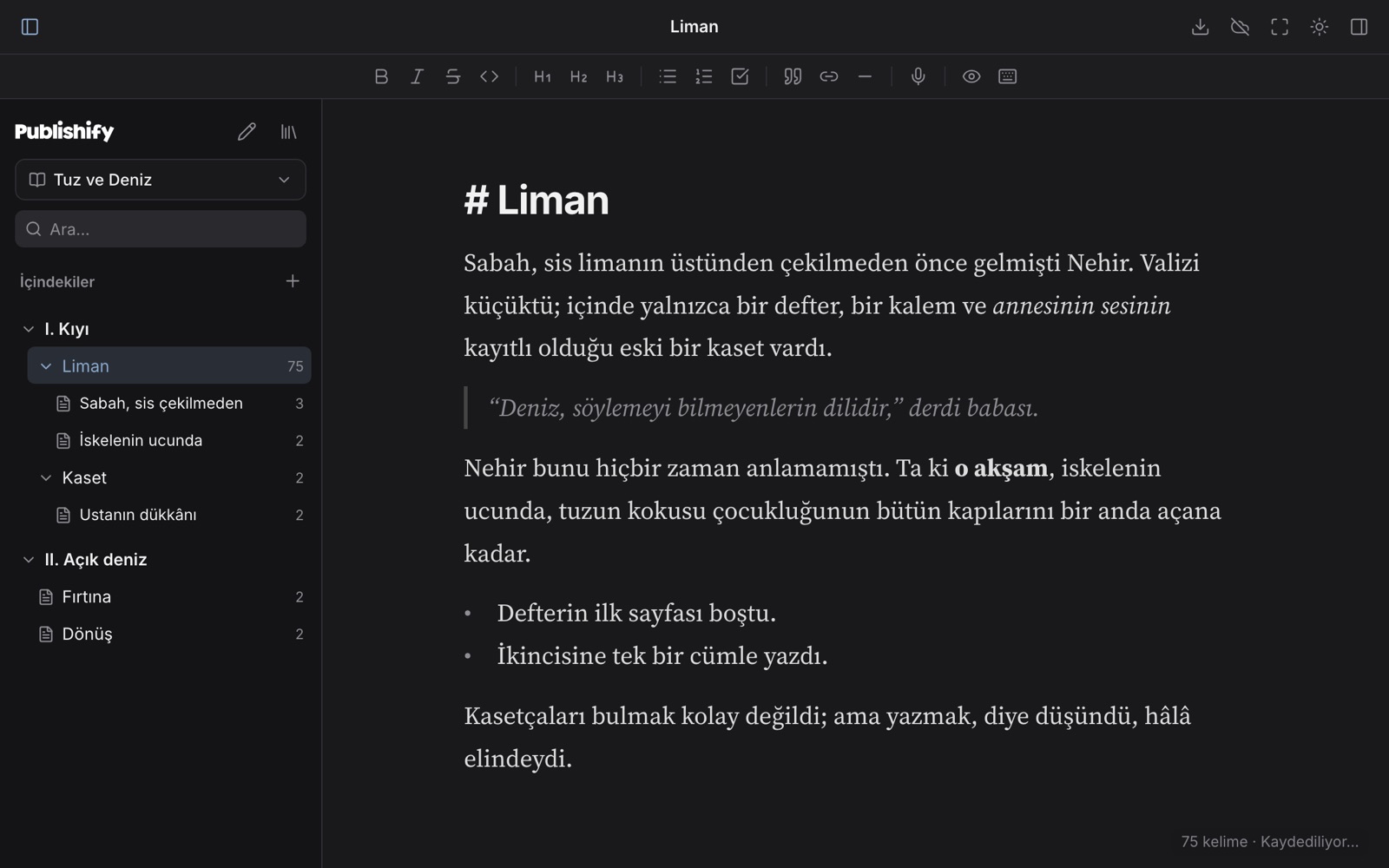
Details that make writing easier
Live Markdown
You write Markdown and the marks disappear once the cursor leaves the line. Bold, italic, headings, quotes, lists and checklists look the way they will read.
Part › chapter › scene
Build your book on three levels: part, chapter and scene. Drag to reorder, turn a chapter into a scene, trash and restore.
Templates for every kind of writing
Novel (three acts, hero's journey), novella, short story, flash fiction, poetry, essay, blog post, memoir, non-fiction, academic article, thesis, picture book, play. A template only sets up structure; it never touches your text.
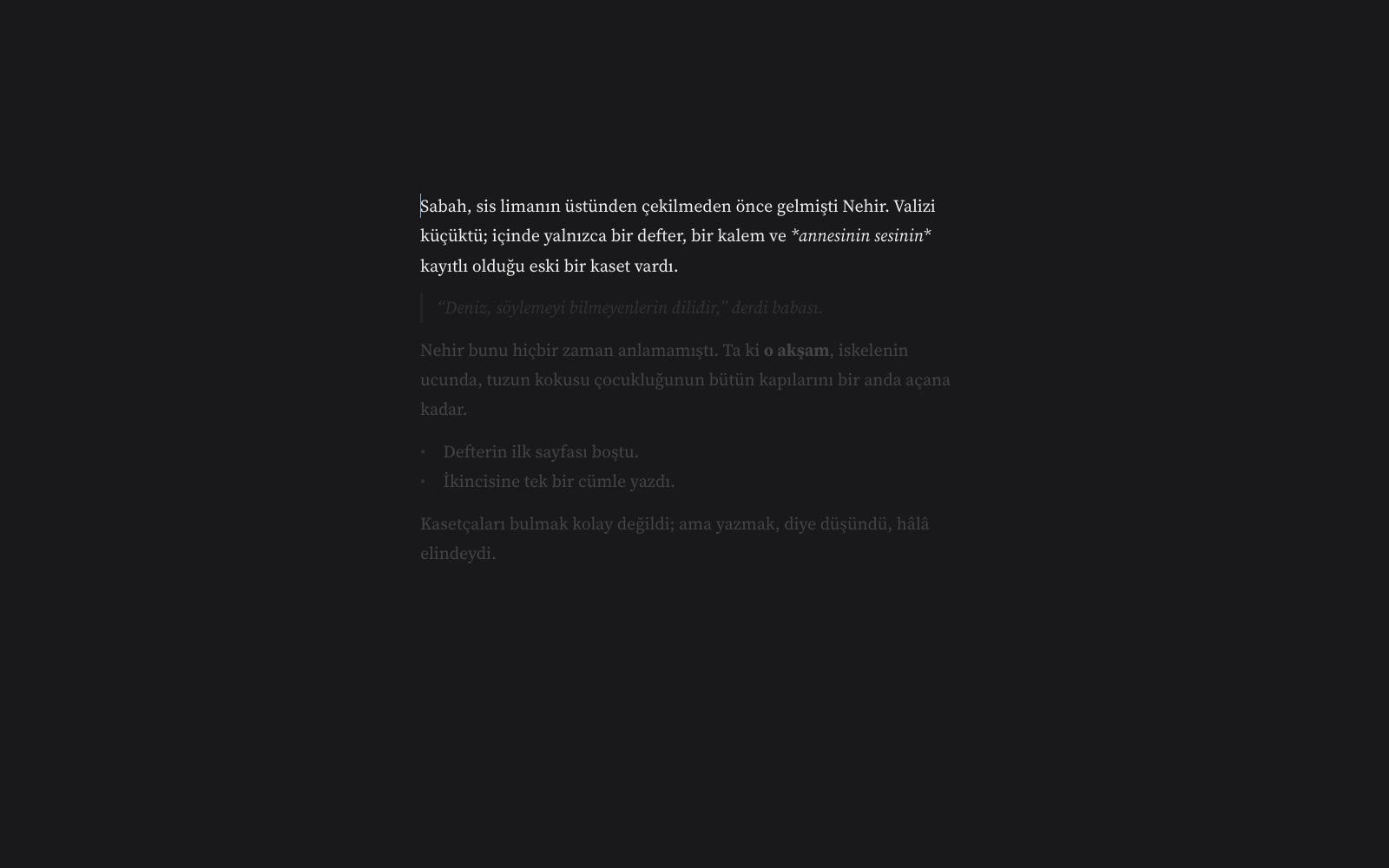
Writing mode: full screen, just you and the page
Press full screen: menus, panels and toolbar disappear and only the page remains. The paragraph you are writing stays sharp while the rest fades, and the cursor stays centred. Everything saves itself.
Dictation
Speak to write. Say “period”, “comma” or “new line” and punctuation is inserted; sentences start with capitals. Audio goes to your browser's speech recognition service, not to Publishify.
Version history and trash
Versions are saved as you write and any of them can be restored. Anything you delete goes to the trash first and stays there until you empty it.
Cover and narration
Add a cover to your book and a narration file to each chapter. The cover is embedded in the EPUB.
Export
Markdown, HTML, Word (.docx), EPUB and PDF. Right-to-left direction is preserved in every format.
Seven themes
Light, dark, sepia, green, pink, night and a custom theme from two colours of your own (background and text).
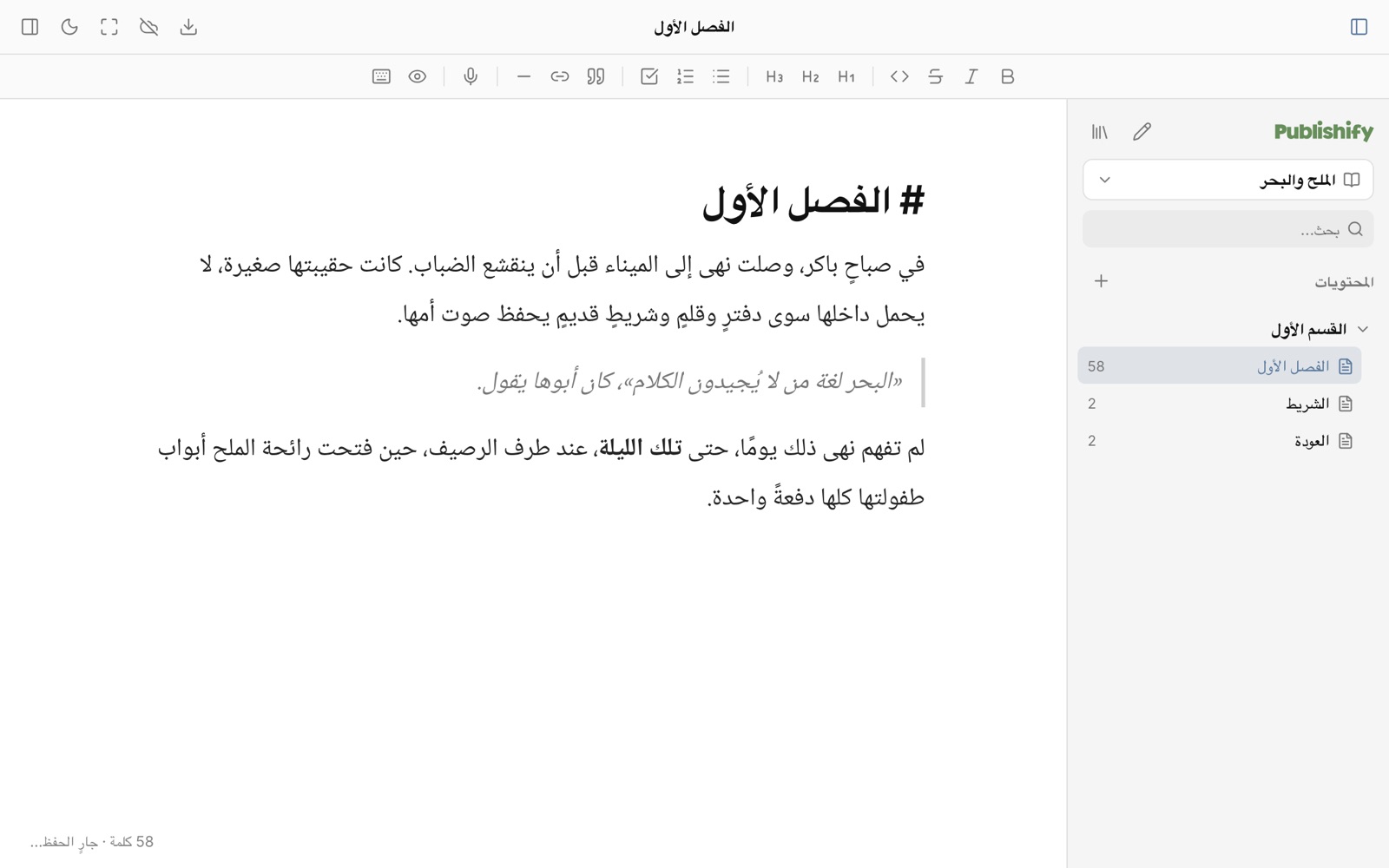
In your language
Arabic, Ottoman Turkish, Turkish and more.
Right-to-left languages are not an afterthought. The editor, the exports and the published page each use the right direction and a suitable typeface for the language, and one document can mix both directions.
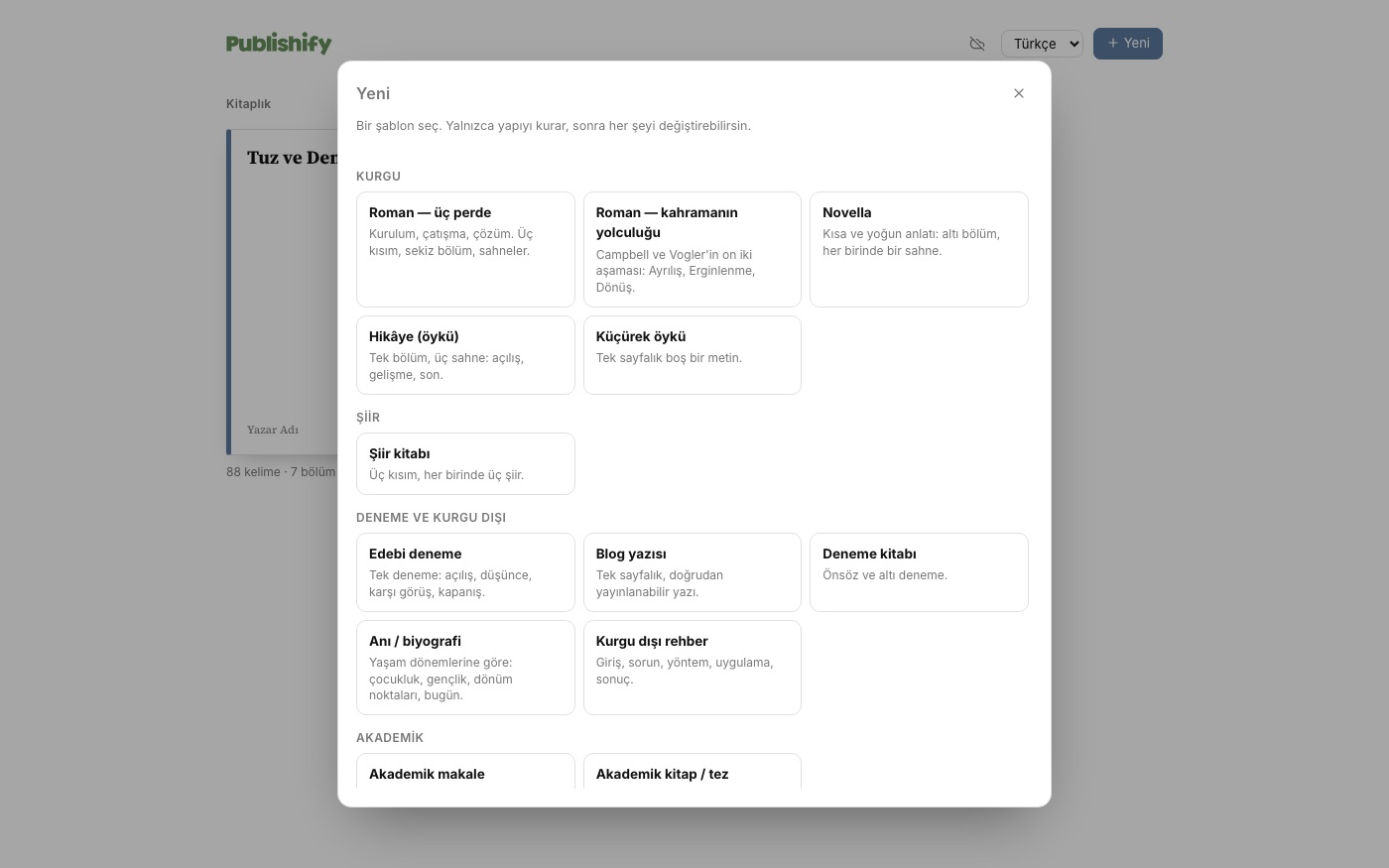
A starting point for every kind of writing
A novel or a blog post, with the same calm.
Pick a template and the structure is ready: three acts or the hero's journey for a novel, and fitting outlines for essays, articles, poems, memoirs and picture books. A template only sets up structure; it never touches your text.
- Part › chapter › scene levels
- Drag-and-drop ordering
- Trash: what you delete can come back
Writing mode
Press full screen and focus only on writing.
Menus, panels, toolbar: all of it closes. Only your page remains. The paragraph you are writing stays sharp and the rest fades; the cursor stays centred. No need to think about saving, everything saves itself.
- Press Esc to leave
- In light and dark themes
- Dictation and every language work here too
A screen that suits your eyes
Seven themes: light, dark, sepia, green, pink, night, and a custom theme where you pick the background and text colours.
Your writing is yours
Not locked away: in your own Drive.
With the Google Drive connection (early access) every chapter becomes a plain Markdown file in a “Publishify” folder in your Drive. If you change the same chapter on two devices nothing is overwritten: one version is kept as a “conflict copy”. Deleted items go to your Drive trash.
The Drive connection is currently open to invited testers; it opens to everyone once Google's app verification is complete.
Live Markdown
You write Markdown and the marks disappear once the cursor leaves the line. Bold, italic, headings, quotes, lists and checklists look the way they will read.
Part › chapter › scene
Build your book on three levels: part, chapter and scene. Drag to reorder, turn a chapter into a scene, trash and restore.
Templates for every kind of writing
Novel (three acts, hero's journey), novella, short story, flash fiction, poetry, essay, blog post, memoir, non-fiction, academic article, thesis, picture book, play. A template only sets up structure; it never touches your text.
Writing mode: full screen, just you and the page
Press full screen: menus, panels and toolbar disappear and only the page remains. The paragraph you are writing stays sharp while the rest fades, and the cursor stays centred. Everything saves itself.
Dictation
Speak to write. Say “period”, “comma” or “new line” and punctuation is inserted; sentences start with capitals. Audio goes to your browser's speech recognition service, not to Publishify.
Version history and trash
Versions are saved as you write and any of them can be restored. Anything you delete goes to the trash first and stays there until you empty it.
Cover and narration
Add a cover to your book and a narration file to each chapter. The cover is embedded in the EPUB.
Export
Markdown, HTML, Word (.docx), EPUB and PDF. Right-to-left direction is preserved in every format.
Seven themes
Light, dark, sepia, green, pink, night and a custom theme from two colours of your own (background and text).
Accounts and sync
Creating an account is passwordless: you use your device's passkey (fingerprint, face or PIN), and a recovery code protects the account. Once you have an account your books sync chapter by chapter between devices; if the same chapter changes in two places the server version stays and the other becomes a new “conflict copy” chapter. Nothing is silently overwritten.
Google Drive
The Google Drive connection (early access) keeps your book as plain Markdown files in your Drive: one folder per book, one file per chapter and a small book.json for metadata. It can only access files Publishify itself created (the drive.file scope) and cannot see the rest of your Drive.