A calm writing studio for authors
A calm studio to write in.
Publishify is a writing editor made for drafting your novel, story, essay or article, keeping it in your own Google Drive and publishing it in one click. It runs in the browser and feels the same on every device.
Open Studio — it's freeSee the features
- No account needed
- Your files live in your Drive, shared with no one
- Download as Word, PDF, ePUB or Markdown
Publishify in brief
- What is it?
- A browser-based writing editor and publishing studio for independent authors.
- Who is it for?
- Anyone writing novels, novellas, short stories, flash fiction, poetry, essays, non-fiction or academic articles.
- What does it cost?
- The editor is free; you can start without an account.
- Where does it run?
- On any device with a browser: Mac, Windows, Linux, Chromebook, phone, tablet.
- Which languages?
- Arabic, Ottoman Turkish, Turkish, English, German, French, Russian, Japanese (+ Kurmanji, Zazaki); right-to-left included, and the interface speaks them too.
Write. Keep. Publish.
The three things an author needs, in one calm place.
Write
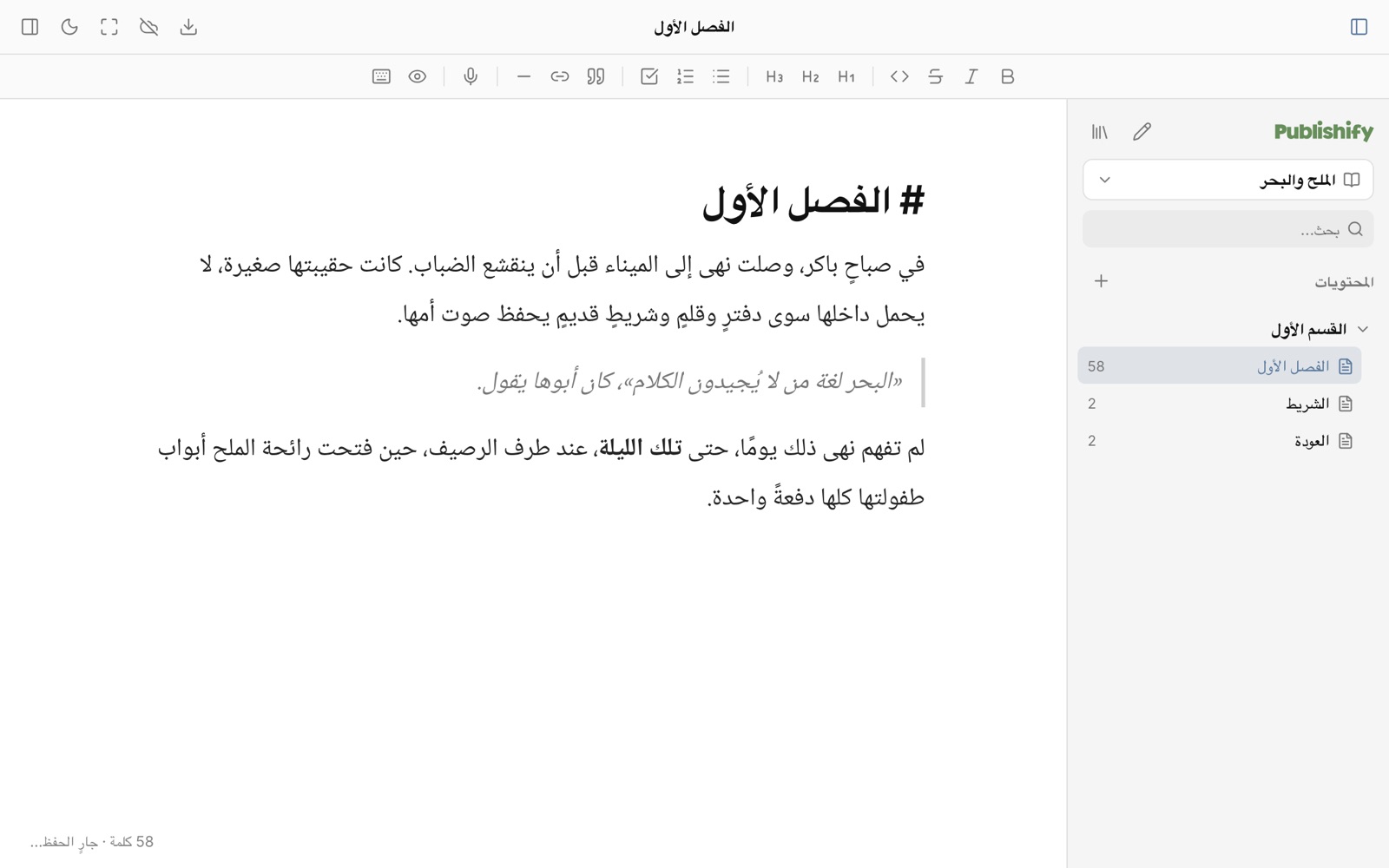
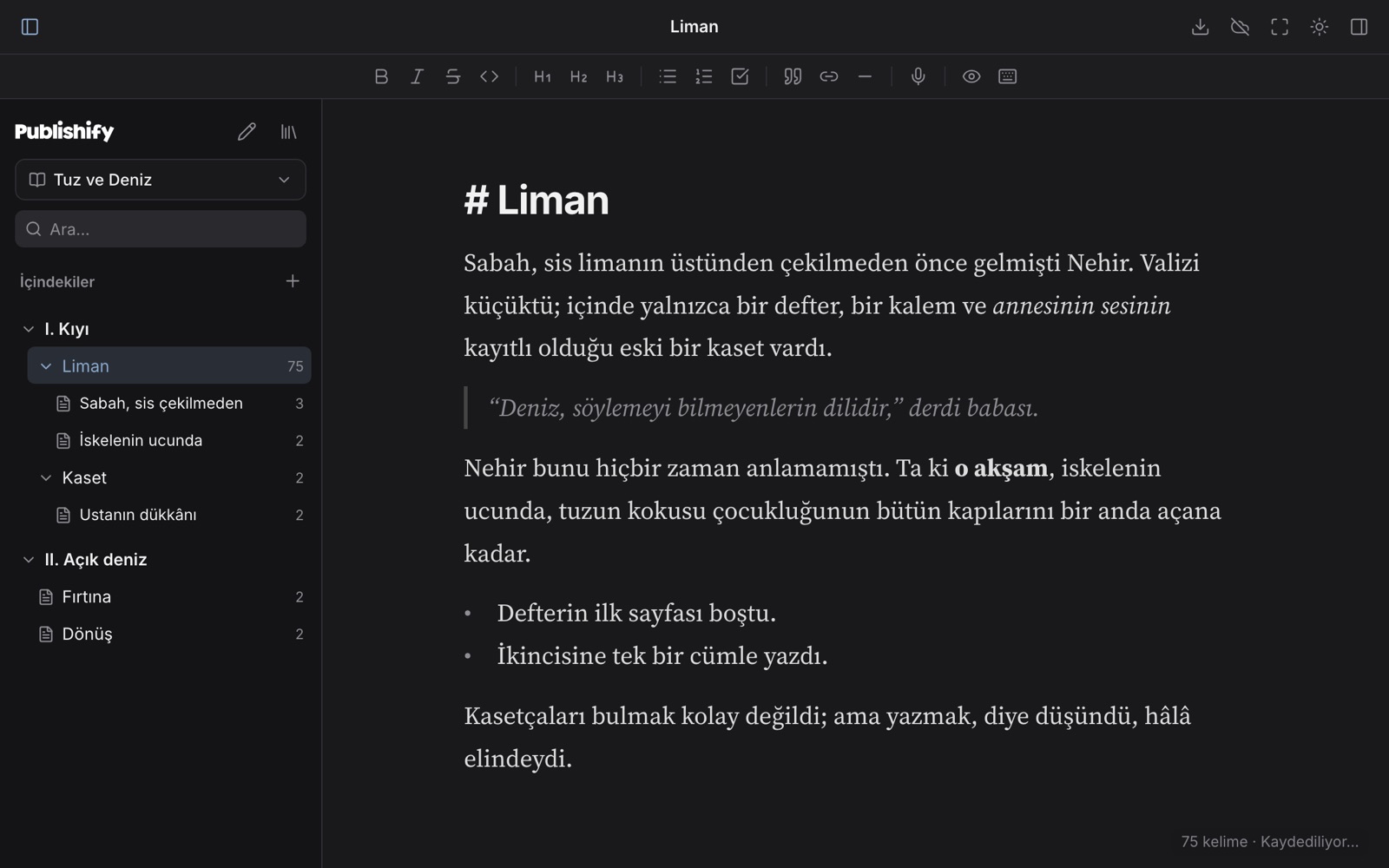
Live Markdown, part › chapter › scene structure, focus and typewriter mode, dictation and version history.
Keep
On your device first; synced if you create an account; and, with the Google Drive connection (early access), as plain Markdown files in your own Drive.
Publish
One click to a public, fast, search-ready page with sharing links built in. Your draft stays with you.
Editorial board · Coming soon
A whole publishing house behind you.
You write alone, but you are not on your own. An editorial board, with specialists for novels, stories, poetry, essays and academic writing, reads your book, maps it and guides you.
Editors
Fiction, literary, academic, poetry, non-fiction and children's editors; every genre is read by its own standards.
Reader panel
A first read through the eyes of different readers: where did they get bored, where were they moved?
Checkers
Consistency, sources, language and spelling, sensitivity: so your book goes out clean and solid.
Part of the board will be free; deeper evaluations will be paid. The writing editor stays free.
Details that make writing easier
Live Markdown
You write Markdown and the marks disappear once the cursor leaves the line. Bold, italic, headings, quotes, lists and checklists look the way they will read.
Part › chapter › scene
Build your book on three levels: part, chapter and scene. Drag to reorder, turn a chapter into a scene, trash and restore.
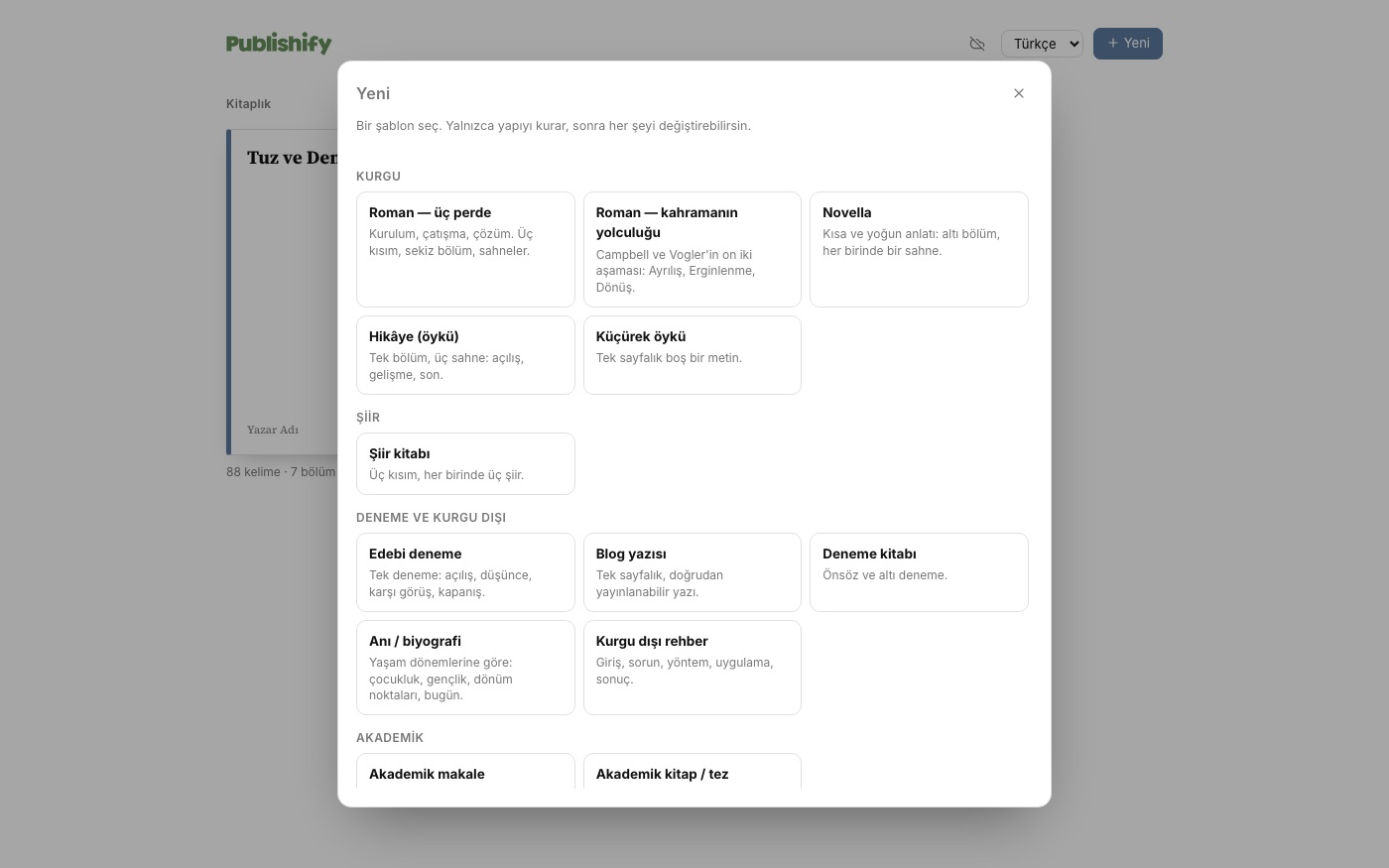
Templates for every kind of writing
Novel (three acts, hero's journey), novella, short story, flash fiction, poetry, essay, blog post, memoir, non-fiction, academic article, thesis, picture book, play. A template only sets up structure; it never touches your text.
Writing mode: full screen, just you and the page
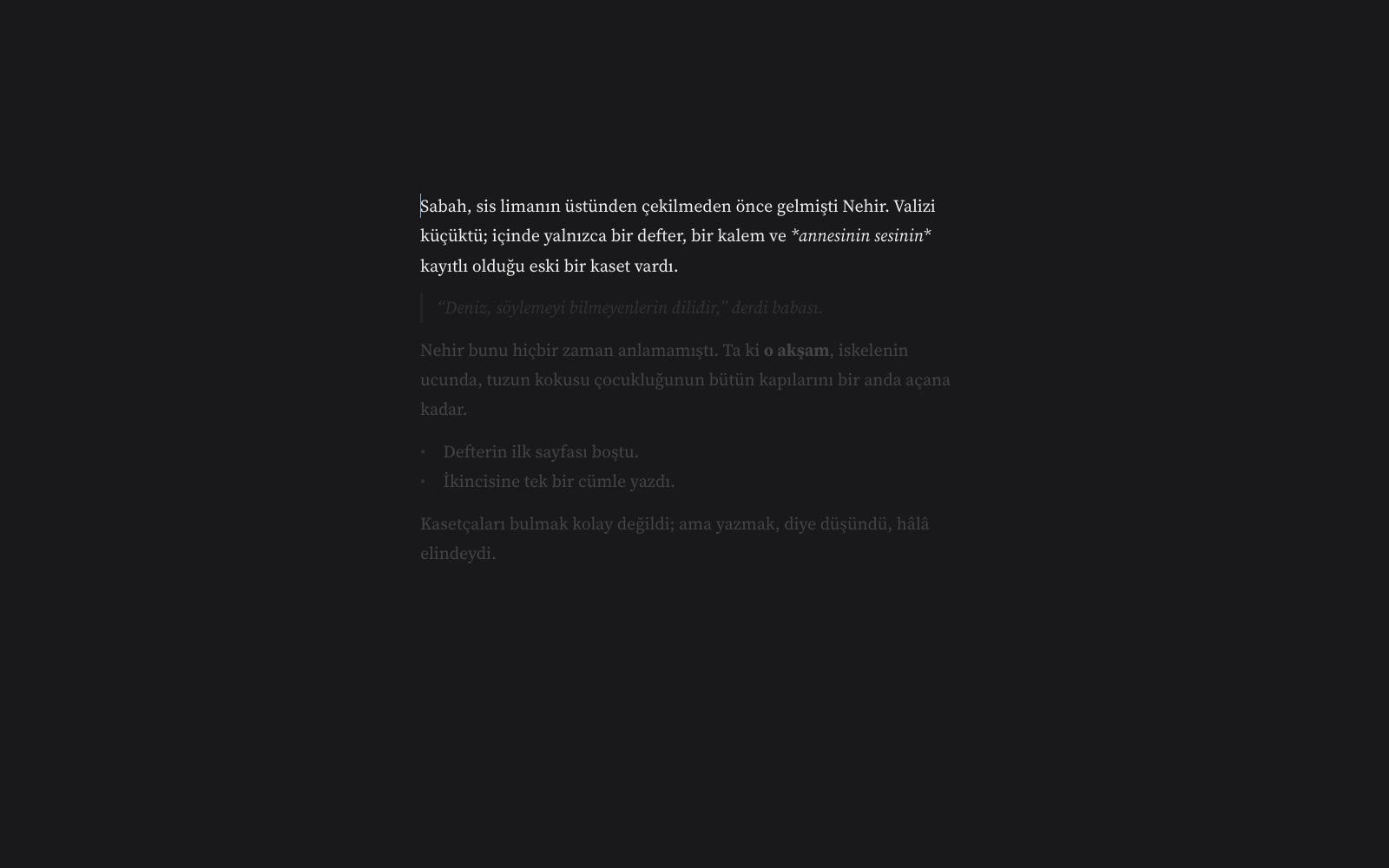
Press full screen: menus, panels and toolbar disappear and only the page remains. The paragraph you are writing stays sharp while the rest fades, and the cursor stays centred. Everything saves itself.
Dictation
Speak to write. Say “period”, “comma” or “new line” and punctuation is inserted; sentences start with capitals. Audio goes to your browser's speech recognition service, not to Publishify.
Version history and trash
Versions are saved as you write and any of them can be restored. Anything you delete goes to the trash first and stays there until you empty it.
In your language
Arabic, Ottoman Turkish, Turkish and more.
Right-to-left languages are not an afterthought. The editor, the exports and the published page each use the right direction and a suitable typeface for the language, and one document can mix both directions.
A starting point for every kind of writing
A novel or a blog post, with the same calm.
Pick a template and the structure is ready: three acts or the hero's journey for a novel, and fitting outlines for essays, articles, poems, memoirs and picture books. A template only sets up structure; it never touches your text.
- Part › chapter › scene levels
- Drag-and-drop ordering
- Trash: what you delete can come back
Writing mode
Press full screen and focus only on writing.
Menus, panels, toolbar: all of it closes. Only your page remains. The paragraph you are writing stays sharp and the rest fades; the cursor stays centred. No need to think about saving, everything saves itself.
- Press Esc to leave
- In light and dark themes
- Dictation and every language work here too
Publish
Your writing, one click from a public page.
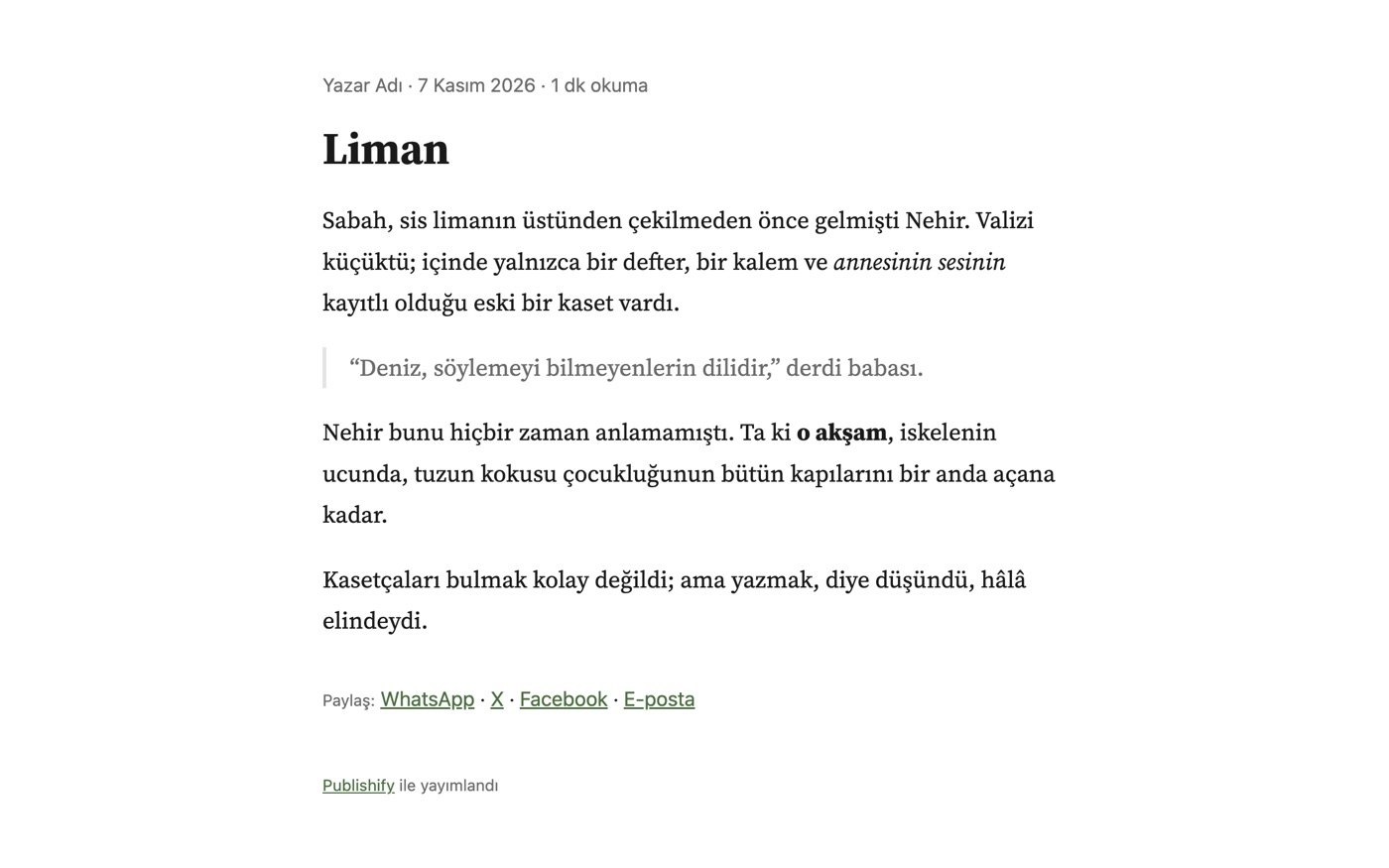
A blog post, essay, story, article or a whole book: choose an address, pick a type, publish. The page loads fast, looks good on a phone and ships with the markup that search engines and AI assistants need.
- Sharing links: WhatsApp, X, Facebook, email
- Reading time, author name, publication date
- A publication is a copy: your draft is protected
A screen that suits your eyes
Seven themes: light, dark, sepia, green, pink, night, and a custom theme where you pick the background and text colours.
Your writing is yours
Not locked away: in your own Drive.
With the Google Drive connection (early access) every chapter becomes a plain Markdown file in a “Publishify” folder in your Drive. If you change the same chapter on two devices nothing is overwritten: one version is kept as a “conflict copy”. Deleted items go to your Drive trash.
The Drive connection is currently open to invited testers; it opens to everyone once Google's app verification is complete.
On the way
We say plainly what is not ready yet.
Editorial board
We are building an editorial board as broad as a publishing house's staff that reads your book and maps its structure. Part of it will be free, the rest paid.
Desktop and mobile apps
Apps for Mac, Windows, iPhone and Android are planned and will use the same book format.
Offline use
We are working on letting the page open without a connection after the first visit.
Frequently asked questions
What is Publishify?
Is it free?
Do I need an account?
Where are my files stored?
Which languages can I write in?
Write a page today.
No install, no account, no credit card. Open Studio and start writing.